Hello Stream Crossers,
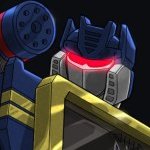
It's Soundwave again, I know it has been many weeks since my last posting, but I'm back with a pre-review of the new Transformers movie, Transformers: Revenge of the Fallen.
Between what I have read on Wikipedia, and the two trailers, I am not liking what I am seeing.
My main issue with this whole series is, as I stated before, it is being created by a group of people who have no love of the original series. Considering three short seasons in the 80's created such a bond with these characters that exists strongly to this day, I thought they could have paid a better homage to it.
Case in point. Roberto Orci was against the Dinobots stating "I couldn't see why a Transformer would feel the need to disguise himself in front of a bunch of lizards. Movie-wise, I mean." This is just more of his stupidity from the first movie. As any Transformers Fan knows, the Dinobots weren't designed for disguise. They were designed for battle, and are the strongest mele fighters the Autobots have. They were stupid in the cartoon, but all of the comic incarnations depicted them as an elite special ops team.
Anyhow, back to the movie's "plot". According to various sources, Sam (Spike) is going to college, but his girlfriend is not. Somehow in the last few years, Optimus Prime's shard of the AllSpark has become a few shards, one of which ends up in Sam's laundry. While inspecting it, Sam is blasted with energy that allows him to see Cybertronian symbols. It is not revealed if he can read the symbols, but he does begin obsessively carving them everywhere. It is eventually revealed that these Cybertronian symbols are found in Egyptian ruins. The Decepticons then pursue Sam (again!) to somehow get at the information in his head. Maybe they'll project a light through his head onto a screen, just like in Wild Wild West?
I seem to remember this scenario forming a major part of Smallville (the season with Christopher Reeve) with Kryptonian symbols forming part of Native American mythology, ancient Native ruins covered in these symbols, Clark learning to read the symbols from an energy blast from said symbols, and his heat vision seemingly going berzerk and burning Kryptonian symbols into his barn. Now I'm no English major, but I think this is called "plagerism". Roberto Orci and Alex Kurtzman, I think DC and Warner Brothers want to have with you in the principal's office.
There are a whole wack of new Transformers in this movie, which I guess means that most will be dead before they have a chance to say anything. Although if they are a Decepticon, they may not actually say anything anyways.
Among the new transformers is a being called the Fallen, who was one of the original 13 Transformers. He first appeared in Dreamwave's 'War Within' series. Now Dreamwave didn't last long as a comic publisher, so if you don't remember seeing or hearing of the Fallen, you are not alone. Apparently, he was involved with Megatron becoming evil and the Decepticon insignia is supposedly based on his face.
They have introduced Soundwave and Ravage. I think Soundwave is a satellite, and is once again voiced by Frank Welker (oh hells yeah!) Hopefully they bring back the old monotone voice, but since Michael Bay is a retard who knows nothing of the original series, they probably won't. Ravage does actually look cool with the exception of having one eye.
Another blast from the past is Devastator, who is actually made up of Decepticons who transform into construction equipment. I'm not sure if they are actually called the Costructicons, but I'm sure they are not since Orci and Kurtzman are idiots. It doesn't matter anyway, because he looks UGLY. Kind of like a crippled ape that can't stand up. Nothing like the magnificent killing machine from the 80's.
Maybe I should be thankful the Dinobots are not in the film. That leaves five less beloved characters to be desecrated by Michael Bay.
So I am predicting another conceptual disaster, and am not planning on seeing the movie in the theater. Maybe I'll rent it later. I'm sure it's going to make gobs of money, followed closely by a third movie, so they don't need my money anyway.
So hopefully, I will be posting more frequently from now on. I'll be talking to you all real soon.
"bah weep graaagnah wheep ni ni bong"
Sunday, June 7, 2009
Pre-Review for Transformers: Revenge of the Fallen

Friday, March 27, 2009
Funniest Paper Clips Yet
Found this on my internet travels today. Funny how an innocent paper clip initially shaped as a bone, becomes a bone of a different sort when flipped over!
Want your own box to entertain your friends and embarrass co-workers? Look no further.
"bah weep graaagnah wheep ni ni bong"

Sunday, March 8, 2009
PSP: Pandora's Battery (Version 2)
How to load a custom firmware on your Sony PSP
Hello Stream Crossers!
I am back today to revisit the subject of updating your PSP to run custom firmware. The original instructions needed to be done in Windows only, and required really old custom firmwares to run. This version copies all the software to the PSP and runs it there, so any Operating System can be used. Also, the updated software runs on firmware 3.xx and newer, no need to install 1.50 kernels!
First we will review a bit of information, history, and terminology regarding PSP Firmware Flashing.
First off, a PSP with Official Firmware cannot be flashed, simply because software must be run on the PSP that a) makes the memory stick bootable, and b) modifies the battery's serial number (more on this later). Thus you always need a PSP with custom firmware to start the modification process. Somewhat like Agent Smith in The Matrix.
The primary leader in this work it a programmer named Dark Alex, aka DAX. I am not sure where he is located, but I know for sure he is from a Spanish speaking country.
The first generation of PSP's were the 1000 model, depending on where you live, the last digit will not be a 0, but another number. Similarly, the next two generations were OFFICIALLY named PSP 2000 and PSP 3000.
The PSP 2000 was improved in terms of its energy efficiency, and was significantly thinner and lighter than its predacessor, the PSP 1000. It was marketed as the "PSP SLIM" in some countries, "PSP LITE" in others. Thus, gamers began referring to the first generation as the "PSP PHAT" (pronounced FAT).
So far, the PSP 3000 does not have any cool nicknames.
All official games and software for the PSP have a special "signature" code in them to verify that the game is permitted to be executed. The very first model of the PSP 1000 was released with firmware 1.50 (also referred to as the 1.50 kernel). This had a flaw in it that allowed ANY software to be executed on the PSP. SONY quickly issued a fix for this. Certain games also carried the same flaws. Some programmers were able to extract the 1.50 kernel and use it in their modification procedures.
Pandora's Battery? JigKick? WTF? When you mess up the internal software in the PSP to the point that it no longer turns on (called BRICKING) you usually have to send it back to SONY for repairs. SONY has special battery modules that will cause the PSP to boot off a special memory stick and reprogram the PSP.
A "Pandora's Battery" or "JigKick" is a battery whose serial number has been changed to 0xffffffff and works the same as the official SONY repair batteries. A "Magic Memory Stick" (aka MMS) is a memory stick made bootable by a piece of software called Despertar Del Cementerio, which is Spanish for "wake from the cemetary" as it can restore a bricked PSP without sending it to SONY for repair.
HACKABILITY
Thus far, ALL PSP 1000 models can have their firmwares upgraded. ALL PSP 1000 models can make a Pandora's Battery. This is optimal however, since the SLIM batteries are thinner than the originals, and only work in PSP SLIMs (they don't make electrical contact in PHAT PSPs). An original battery will work in all PSP's (the thinner models need a special cover to hold it in place, however).
MOST PSP 2000 models can have their firmwares upgraded. The last version with the TA-088 motherboards are NOT hackable, sorry. NONE of the PSP 2000 models can make a Pandora's Battery.
NONE of the PSP 3000 models are hackable, thus they cannot make a Pandora's Battery.
Now let's get started. I will be making reference to the 'root' or 'root directory' of the memory stick. This is the top level of the memory stick's file system. The first time you double click on it's icon, you are brought to the root of the memory stick.
To perform this, you need the following files. Please note the filename may be strang when you save it, depending on what the sources saved it as originally. You can rename the downloaded files to help you keep track of what is what.
Step 1: Backup your memory stick, get the firmwares
Charge your battery until it is 100%. You cannot run out of power during the process of writing the firmware.
Copy everything you want to keep on you memory stick to your hard drive as we will be formatting the card during this tutorial to make it bootable.
Download all the software to your computer.
Download all the firmwares to your computer. Extract them one by one and rename them as 150.PBP, 340.PBP, 380.PBP, 410.PBP and 500.PBP. Make an extra of 150.PBP and rename it as UPDATE.PBP
Step 2: Format Your Memory Stick
Using any PSP go to Settings > System Settings > Format Memory Stick
This will erase all data, and create fresh folders for you to use.
Step 3: Copy the Needed Software to the Memory Stick
Put your memory stick and fully charged battery in to the SOURCE PSP. Connect the PSP to the computer via USB so it appears as a drive.
Use WinRAR to open the Pandora Installer archive and extract the entire folder "pan3xx" to the PSP\GAME folder on the Memory Stick.
Use WinRAR to open the Despertar del Cementerio archive and extract the entire folder "dc8" to the PSP\GAME folder on the Memory Stick.
Use WinRAR to open the Custom Firmware 5.00 M33-6 archive and extract the entire folder "UPDATE" to the PSP\GAME folder on the Memory Stick
Copy UPDATE.PBP, 150.PBP, 340.PBP, 380.PBP, 410.PBP and 500.PBP to the root of the Memory Stick.
Also copy 500.PBP to the PSP\GAME\UPDATE folder.
Now disconnect the PSP from your computer.
Step 4: Create a Magic Memory Stick
If you are using a custom theme, you need to change it back to the default theme before proceeding.
On the PSP, under GAMES > MEMEORY STICK, run "Despertar del Cementerio v8". This will copy files to the Memory Stick to make it bootable for re-flashing your PSP. A long extraction process will follow.
The final step asks you to select a button to be used to boot to DC8, press and hold the DOWN direction button. (any direction is ok, I used DOWN, so the instructions will use that. If you used a different direction button, substitute it in when I say DOWN).
Once complete it will bring you back to the main screen.
You now have what is known as a "Magic Memory Stick".
Step 5: Create Padora's Battery
Remember, if your SOURCE PSP is a PSP Slim and the TARGET PSP is a Phat PSP, put the Phat PSP battery in before doing this step. Why? It will work with both batteries but the Slim battery only fits properly into a PSP Slim, it simply will not make proper electrical contact in a PSP Phat. Thus, Step 8 will not work.
The Phat PSP battery will make proper electrical contact in both kinds of devices.
If both the SOURCE and TARGET PSP's are Slim, then you are OK.
Under GAMES > MEMEORY STICK, run Pandora Installer.
Press X on the Welcome Screen to go to the Main Menu.
On the Main Menu, move the selection arrow down to "Battery options..." and press X.
This will let you create a Pandora's Battery from a normal battery, or create a normal battery from a Pandora's Battery.
First go to "dump battery serial to file" and press X to back up your original serial number. Follow the on screen instructions if there are any.
Now go to "make battery Pandora" and press X, follow the on screen instructions if there are any.
Now go to "back to mainmenu...." and press X, then "Quit" on the Main Menu and press X.
You now have what is known as a "JigKick Battery".
Step 6: Flash to the Custom Firmware.
Fully power down the TARGET PSP and disconnect the AC power if it is attached.
Now remove the battery and Memory Stick from the TARGET PSP.
Now remove the Pandora's Battery and Magic Memory Stick from the TARGET PSP.
Put the "Magic Memory Stick" into the TARGET PSP first, before the battery.
Now press and hold the DOWN direction button and put the Pandora's Battery into the TARGET PSP. The unit will turn on automatically, go into service mode, and boot from the Memory Stick (that is why the Memory Stick had to go in first).
You will now be presented with seven options. Highlight "Install 5.00 M33" and press X.
The install process will take up to 10 minutes (thus the battery must be FULLY charged). Put the TARGET PSP down and let it run through. It will either restart on its own or prompt you to press a key to reboot it or shutdown. Press X to reboot.
Congratulations, you have firmware 5.00 M33-4! One more step to go!
Step 7: Upgrade to 5.00 M33-6
After the unit restarts, go to GAMES > MEMORY STICK.
Run the "PSP Update ver 5.00". Some text will display. Press X to continue.
More text will appear, and you will be returned to the main PSP screen.
When it is complete, CONGRATULATIONS!!! You now have a fully modified PSP running custom firmware.
Step 8: Switch the battery back to normal
If you have other batteries, and wish to keep this in Pandora Mode, then skip this step.
Otherwise power down the PSP, remove the Pandora's Battery and connect the A/C Adaptor and plug it in.
Now power on the PSP. When it is fully started, put the Pandora's Battery back in. Since the PSP if fully on, it won't go into Service Mode.
Go to GAMES > MEMEORY STICK, and run Pandora Installer and go back to "Battery options...". If you backed up your battery in Step 5, select "set battery serial from file" and press X. This will rewrite the original serial number to the battery.
If you did not back up the serial, select "make battery normal" and press the X button to write a generic serial number instead.
Now your battery will function as normal.
Step 9: Prepare to play copied games
Keep the Memory Stick (and Pandora's Battery, if you didn't switch it back) in a safe place if you intend to unlock more PSP's otherwise go to SETTINGS > SYSTEM SETTINGS > FORMAT MEMORY STICK. Then copy your backed up files from Step 1 back onto the card.
Press SELECT. An on screen menu will appear. Highlight "UMD ISO MODE" and press the right direction key until "M33 driver" appears. Then highlight "EXIT" and press "X".
Copied PSP games have an *.iso or *.cso file name. Simply create an ISO folder in the root of the Memory Stick and save the games there.
They will appear under GAMES > MEMORY STICK
If the system can't see any games in the ISO directory, copy the entire contents of the Memory Stick to a temporary folder and format the Memory Stick, then copy your stuff back to the Memory Stick again.
Well that's it. Its alot of work, but is definately worth every minute.
Until next time, keep on having fun!
"bah weep graaagnah wheep ni ni bong"
Thursday, February 5, 2009
Studio Tax 2008 Announcement!
Hi there Stream Crossers,
This is my annual announcement that the 2008 Edition, Netfile Certified version of Studio Tax is now available. Download it here > STUDIOTAX.COM
If you're reading this blog right now, and you're Canadian, and you normally do your own taxes, then you should be downloading this software right now. I have personally used it for the last three years, and it works perfectly.
Use NETFILE, and get your income tax refund in two weeks! Its all for free, no signup, nothing. Just download and install. It will generate either a paper result for mailing, or a .TAX file for subission via Revenue Canada's website.
"bah weep graaagnah wheep ni ni bong"